This is the long version of how to launch a token on Runitup: every setting on the form, what it does, and what happens if you get it wrong. If you only want the short version, we already published a plain guide to launching on Robinhood Chain. This one goes field by field with real screenshots of the page.
To launch a token here is one form and one wallet confirmation. There is no bonding curve to climb and no graduation threshold to hit. Your coin opens onto a live pool with its entire supply, and it is tradeable the second the transaction confirms.
Three numbers before we start, because they shape every choice below. The launch fee is 0.0005 ETH. Every trade in your coin pays a 1% pool fee, and you keep 75% of it. The liquidity is locked permanently, including from you.
Before you launch a token
To launch a token you need a wallet with a little ETH on Robinhood Chain, a name, a ticker and a square image.
Connect the wallet first rather than last. The image upload is the reason: until a wallet is connected, that control shows "Connect a wallet to upload an image", and people fill in the whole form before noticing.
The rest of this guide assumes you are connected and ready to launch a token from the launch page.
Setting one: launch type
The first choice when you launch a token here is Quick or Advanced.

Quick is a plain token. One trade fee, nothing taken on transfers, no extra machinery. The page describes it in exactly those terms, and it is what almost every coin should be.
Advanced adds a tax of its own on top of the standard fee. That is a real feature with real uses, and it is also more for a buyer to trust. If you cannot explain in one sentence why your coin needs a tax, pick Quick.
Everything below applies to a Quick launch unless it says otherwise.
Setting two: the coin itself
Name, ticker, image and an optional description.
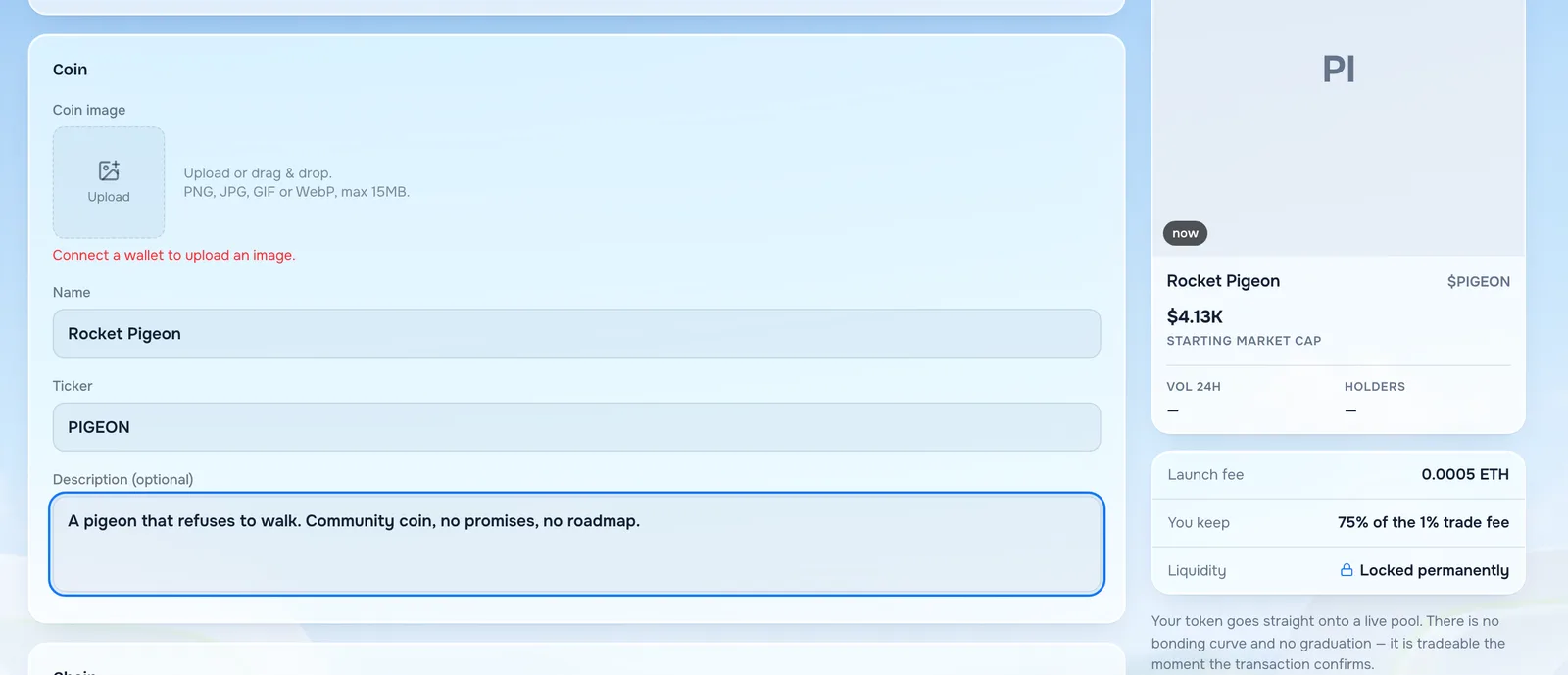
The name is what people read. The ticker is the short code they trade, shown with a dollar sign. Both are written into the contract and cannot be changed afterwards, so read them back before moving on. A typo here is permanent in a way almost nothing else on this page is.
The image accepts PNG, JPG, GIF or WebP up to 15MB. Use a square one. It appears everywhere your coin is listed, and a blank circle makes a new coin look abandoned before anyone has traded it.
The description is optional and worth writing anyway. It is the only place on your own token page where you get to say what the coin is.
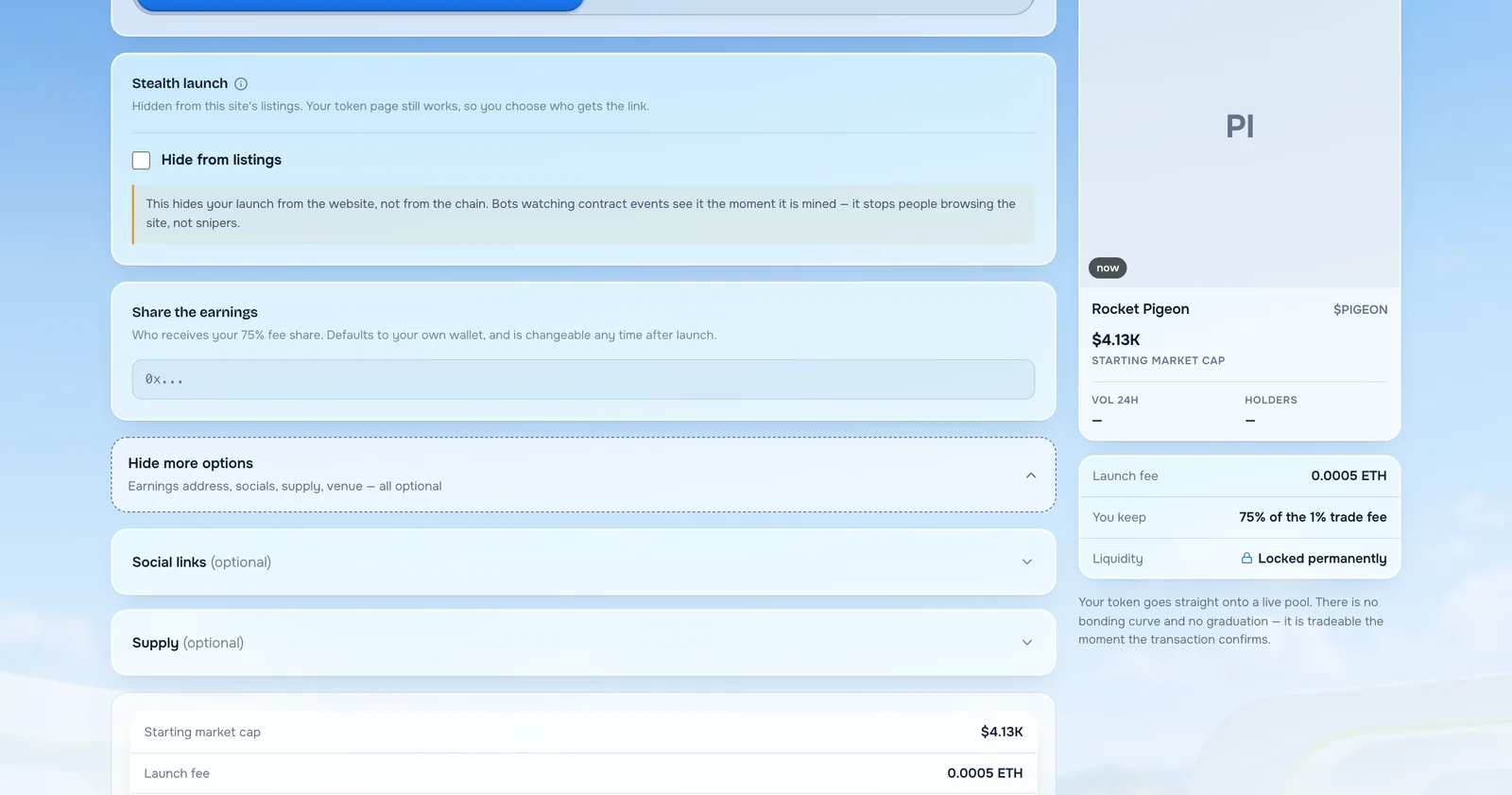
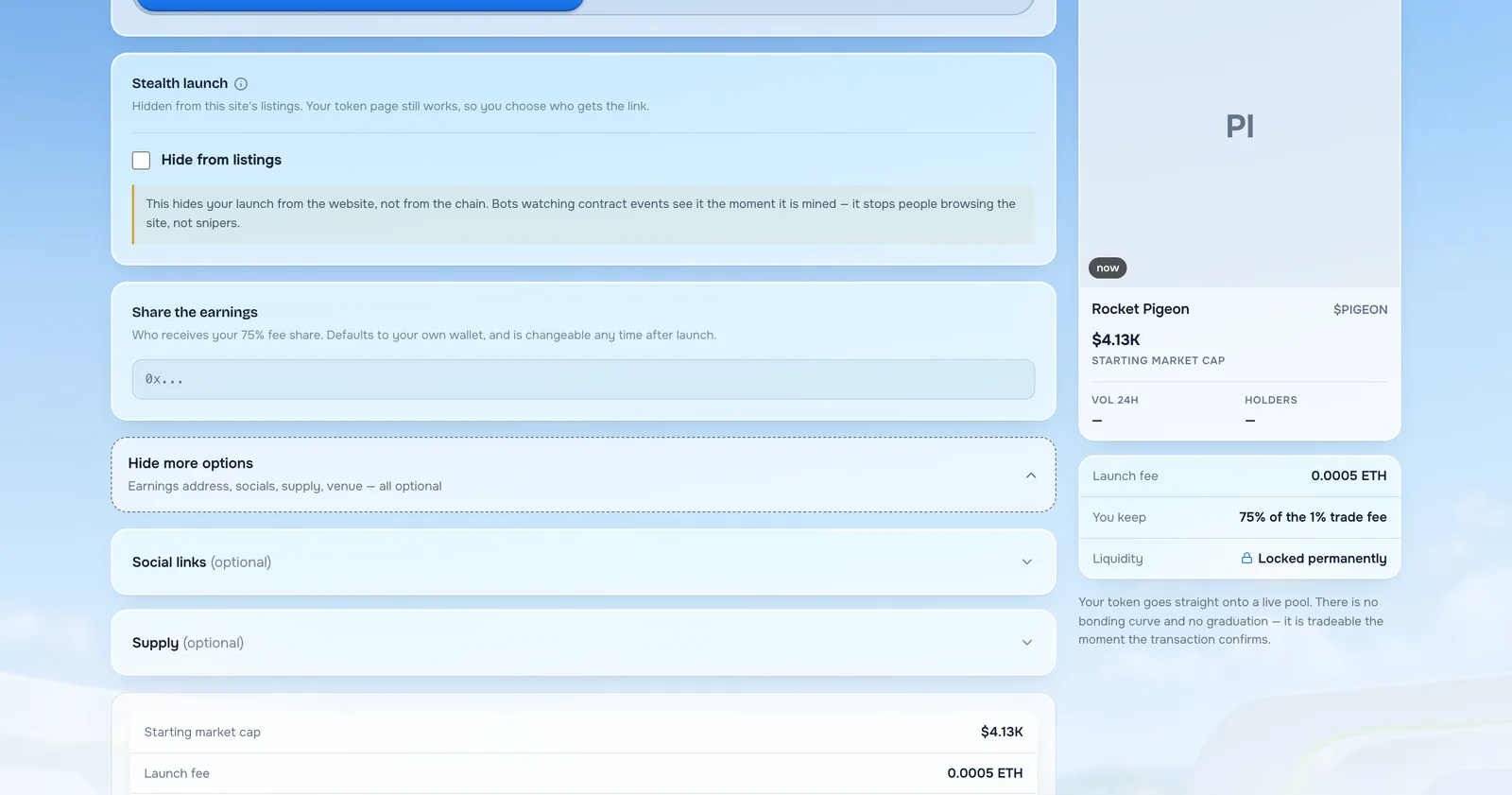
Watch the preview card on the right as you type. It shows exactly what a visitor will see, including the starting market cap, the launch fee and the liquidity lock.
Setting three: the chain you launch a token on
Pick where you want to launch a token.
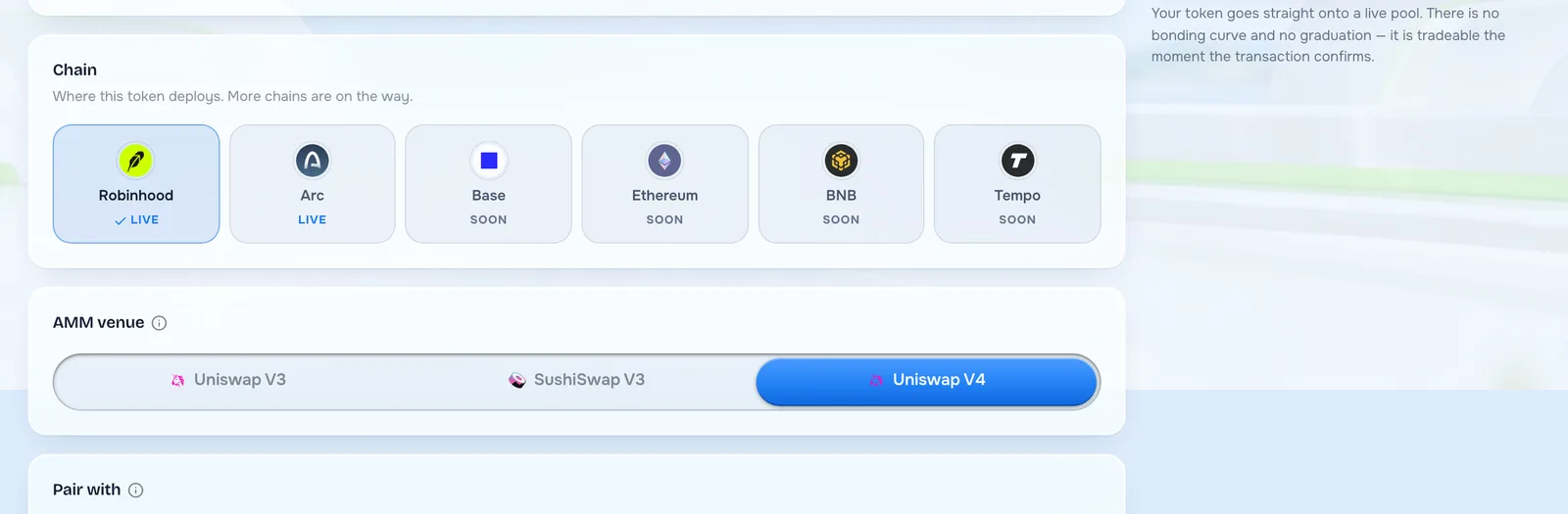
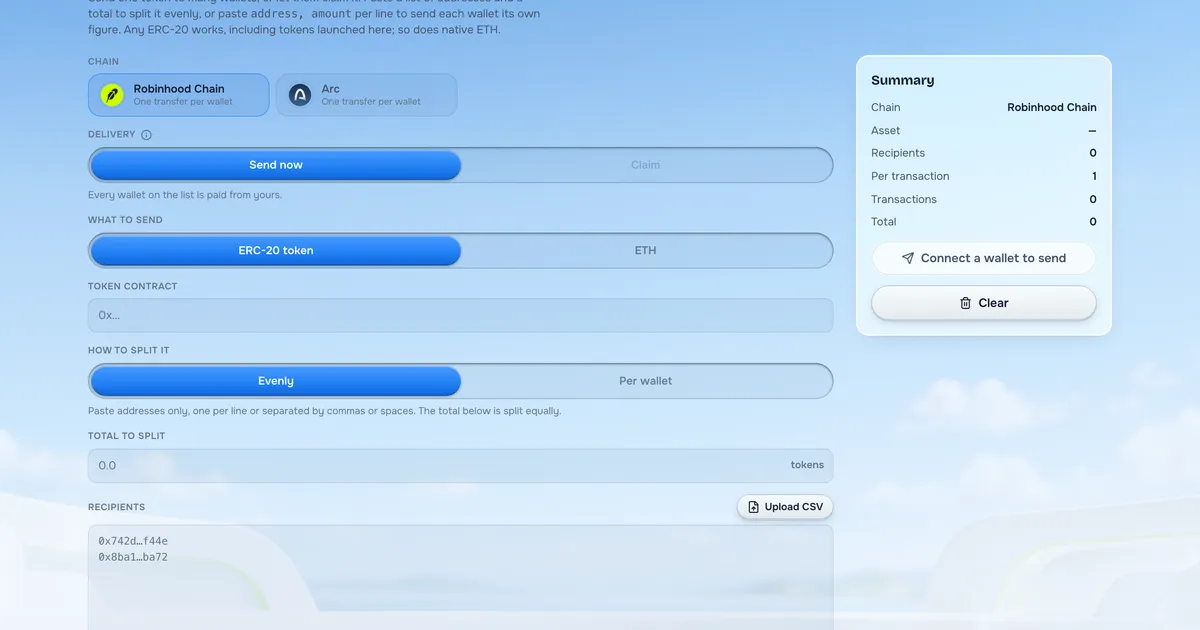
Robinhood and Arc are both marked LIVE. Base, Ethereum, BNB and Tempo are marked SOON, and the labels are honest: the greyed ones are not selectable yet.
For this guide we are on Robinhood Chain, whose gas is ETH. Pick the chain where your buyers already are, because a coin on a chain your community does not use is a coin nobody can conveniently buy.
This decision is permanent. A token exists on the chain it was deployed to and cannot be moved.
Setting four: AMM venue and what to pair with
Two related choices that decide where your coin trades once you launch a token.
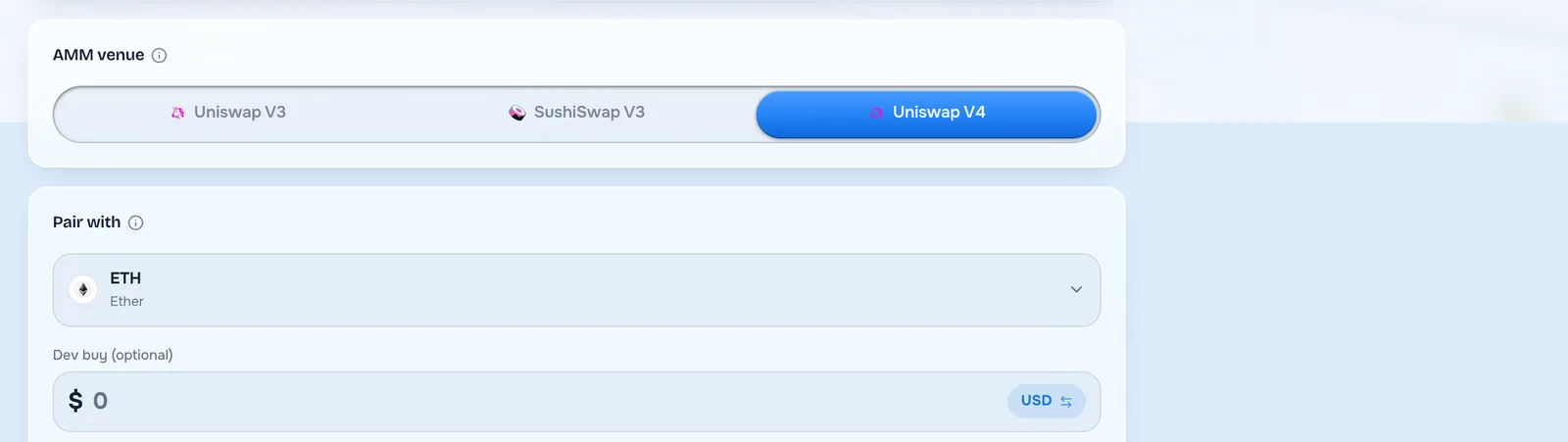
The AMM venue is the exchange your pool opens on: Uniswap V3, SushiSwap V3 or Uniswap V4. If you have no particular reason to choose, the default is fine, and our note on venues covers the differences.
Pair with is what sits on the other side of your pool. ETH is the ordinary answer because buyers already hold it. You can also pair with a dollar-backed coin, or with one of the tokenized stocks, though a stock pair forces the venue to Uniswap V4 and narrows who can buy.
Both are fixed at launch. This is the one pair of settings worth a minute of thought, because everything else on this page can be worked around afterwards and these cannot.
Setting five: the dev buy
An optional purchase of your own coin, made inside the same transaction that launches a token.
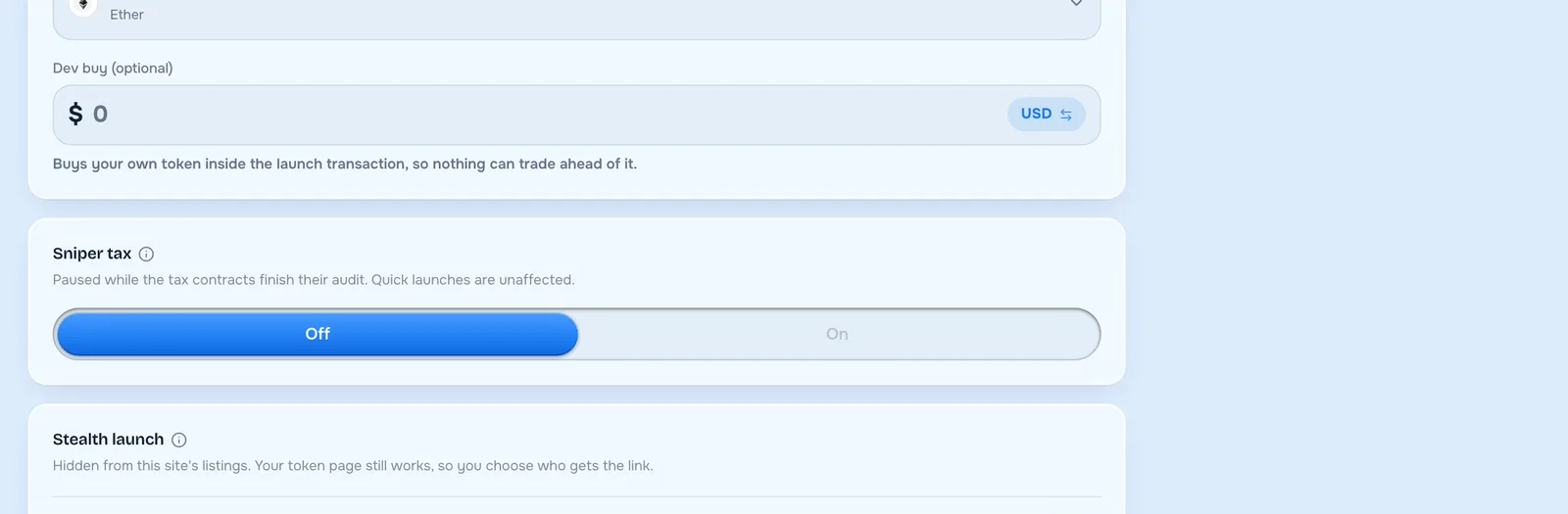
The amount is entered in US dollars. The page explains the point of it: buying inside the launch transaction means nothing can trade ahead of you. Without it, automated buyers can be first in the queue on your own coin.
It is not free. You are buying at the opening price like anyone else, and that money leaves your wallet.
Whether to use one is a judgement call. A modest dev buy is normal and shows the creator has a stake. A large one is visible to everyone and reads as the creator owning most of the supply, which is exactly what careful buyers avoid.
Setting six: sniper tax
A temporary high fee that discourages the automated buyers who arrive in the first seconds.
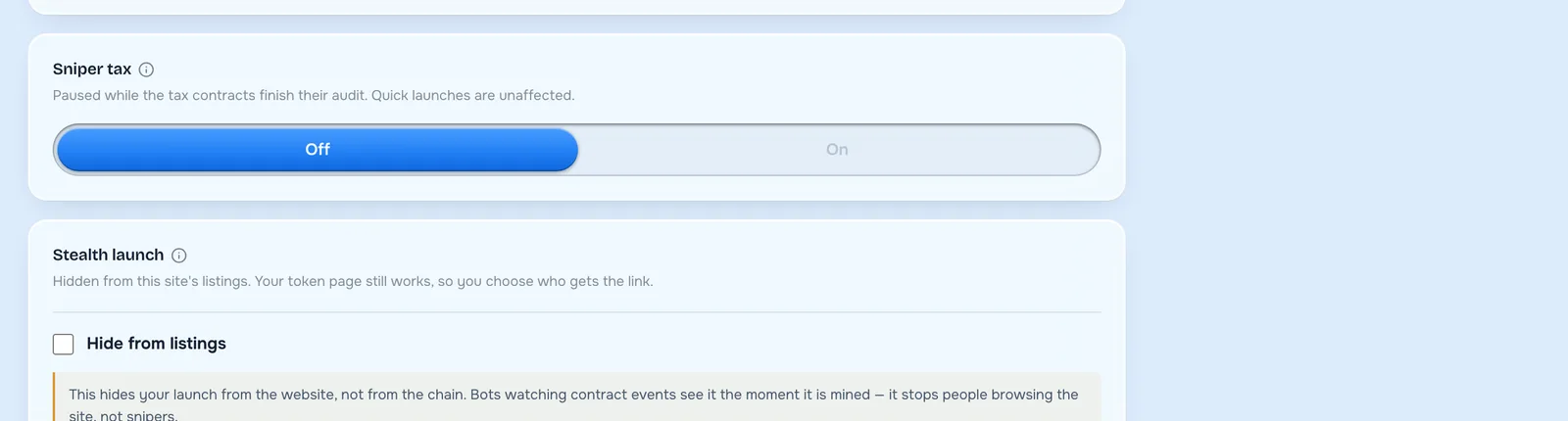
Read the label on the page: paused while the tax contracts finish their audit. It is not available right now, and Quick launches are unaffected by the pause.
When it returns it will work as a decaying fee, starting high and falling to normal over a few minutes. We wrote about the mechanism in our explainer on V4 hooks, including why its schedule is written once and cannot be restarted afterwards.
Setting seven: stealth launch
A switch that hides your coin from the site's own listings.
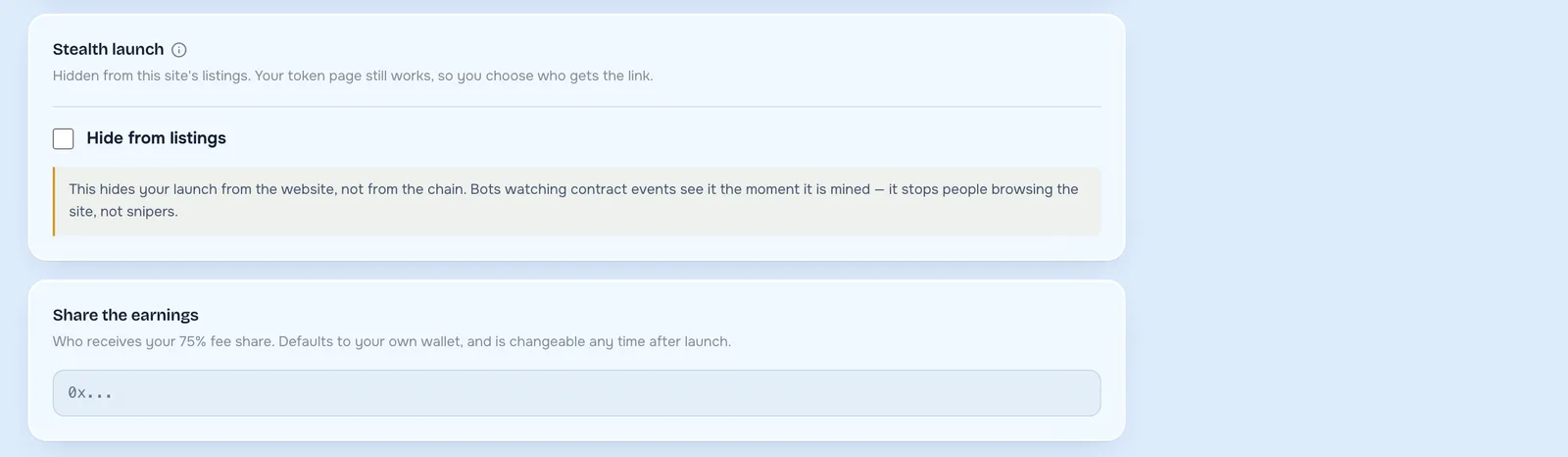
Your token page still works, so you can hand the link to whoever you want. It simply does not appear in the public lists on this site.
The page is unusually honest about the limits of this, and the wording deserves repeating: it hides your launch from the website, not from the chain. Bots watching contract events see it the moment it is mined. It stops people browsing the site; it does not stop snipers.
So treat it as a soft launch for your own community, not as a stealth mechanism against automated buyers. If you believed the latter, you would be planning around protection you do not have.
Setting eight: where your earnings go
Who receives your 75% share of the trading fee.
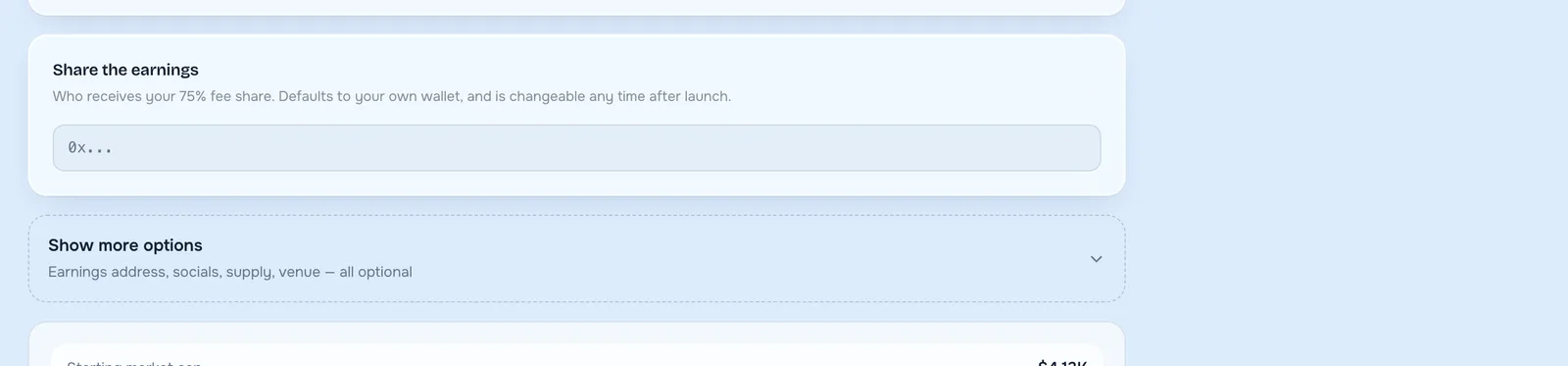
It defaults to the wallet you are launching from, which is what most people want. You can point it somewhere else: a team wallet, a multisig, a treasury.
Unlike almost everything else on this page, this one is changeable at any time after launch. If you are not sure, leave it and move on.
The optional settings
Behind Show more options are the settings most launches never touch.
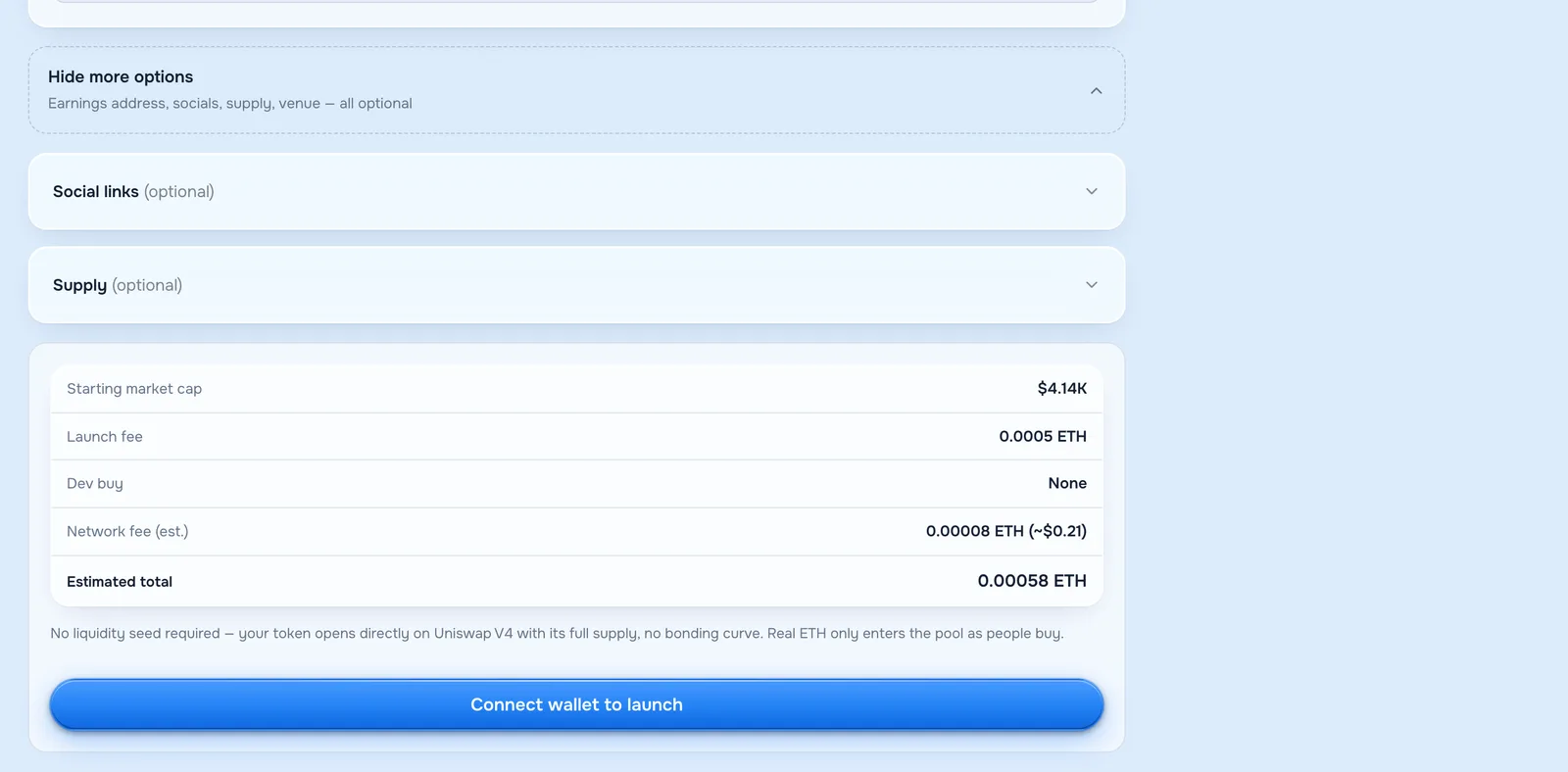
Supply is how many coins will ever exist. The default is sensible and the number matters less than people think, because a billion coins at a low price and a million at a high price are worth the same in total.
Socials are the links shown on your token page. Fill them in if they exist. An empty social row on a brand new coin is a small trust cost for no reason.
The earnings address appears here too, alongside the venue controls, for people who want everything in one place.
What it costs to launch a token
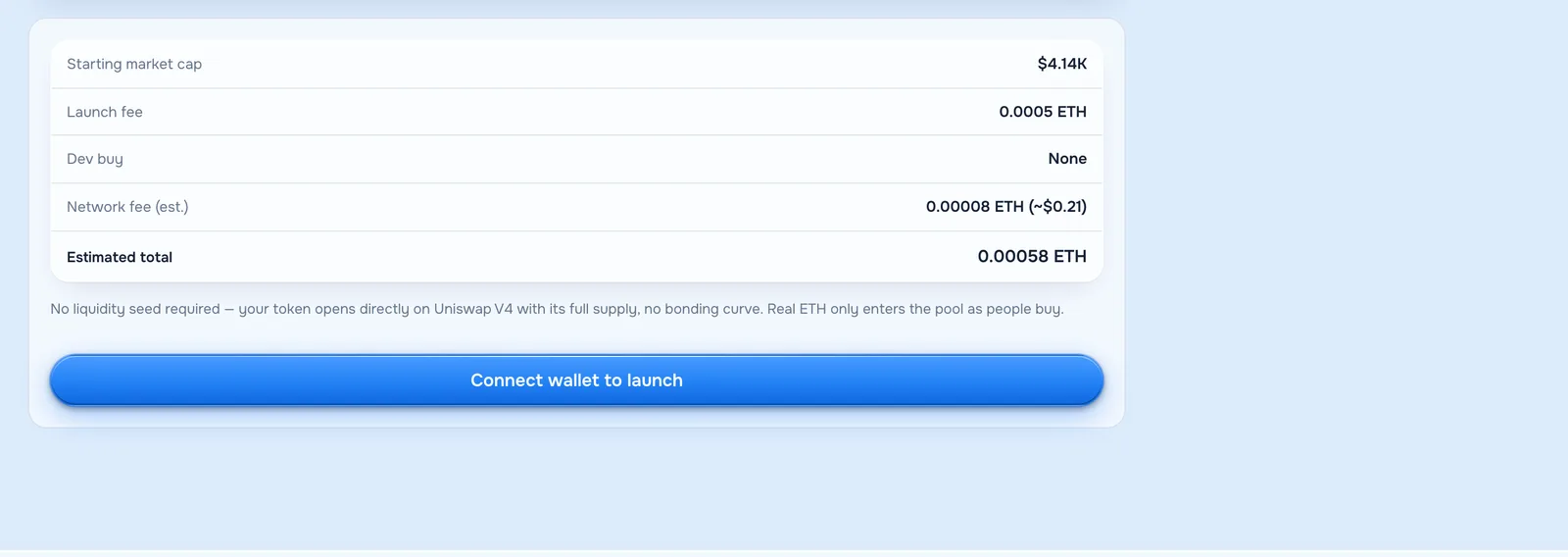
This is the part to actually read, because it is the only honest summary of what you are about to spend.
What the launch fee covers
The launch fee is the platform's charge for the launch itself: deploying the contract, opening the pool and locking the liquidity. It is flat, it does not scale with your supply, and there is no second charge later.
Starting market cap is what your coin is worth in total the moment it opens, before anybody trades. Launch fee is the flat 0.0005 ETH. Dev buy shows what you chose, or None. Network fee is the chain's own charge, estimated live. Estimated total is the sum, and it is the number that leaves your wallet.
Underneath it the page repeats something worth understanding: no liquidity seed is required. Your token opens with its full supply and real ETH only enters the pool as people buy. You are not being asked to fund a pool out of your own pocket, which is the part that surprises people coming from other launchpads.
Confirming, and what happens next
Press the button to launch a token and your wallet asks you to approve one transaction. If you chose a pair that is not ETH there is a small approval step first, and the page walks you through both.
Once it confirms you land on your coin's page, with its address, chart and trade panel. That address is the coin's permanent identity and it is what you share with anyone who wants to buy. Paste it into the Robinhood Chain explorer and you can watch your own launch sitting in the chain's history.
There is no waiting period. Trading is open immediately, the liquidity is already locked, and your share of the fees starts accruing from the first trade.
Launching on Arc instead of Robinhood Chain
Both chains are live on the same form, and the steps to launch a token are identical on either. Two practical differences are worth knowing before you pick.
Robinhood Chain charges gas in ETH, which is what most people arriving already hold. Arc charges gas in USDC, so your costs read in dollars from the start and there is no second asset to acquire before you can launch a token.
The deciding factor is not the chain's technology, it is where your buyers are. A coin needs people who can reach it in two clicks, so launch a token on the chain your community already uses and ignore which one sounds more interesting.
If you want the Arc version specifically, we wrote it up separately in our guide to launching on Arc.
The first hour after you launch a token
The form is the easy part. What you do in the hour after decides whether the coin has a life, and nobody launching for the first time expects this.
Nothing promotes itself. There is no feed of new coins that people browse hoping to find yours. If you launch a token and tell nobody, the honest expected outcome is zero trades, forever.
So have the message written before you press confirm. The address, one line on what the coin is, and wherever your people already gather. Post it within minutes, while you are still at the keyboard and can answer questions.
Share the address, not a screenshot
The contract address is the only thing a buyer can actually use. A screenshot of your token page looks nice and cannot be pasted into a wallet.
People are also right to be careful, because anyone can launch a token with your name and ticker. Giving them the exact address is what stops a copy of your coin collecting the buyers you found.
Expect the listing sites to arrive on their own
Price trackers pick up new pools automatically, usually within minutes of the first trades. There is no form to fill in and no fee to pay for the basic listing, whatever anyone messaging you about it claims.
Mistakes people make when they launch a token
In rough order of how often they cost somebody money.
Rushing the name and ticker. They are permanent, and half the regret in this category comes from a typo that took four seconds to make.
Choosing an exotic pair with no reason. If your buyers hold ETH and you pair with something else, you have added a step to every single purchase.
Over-sizing the dev buy. Everyone can see it. A creator holding most of the supply is the first thing careful buyers check for.
Trusting the stealth setting to stop snipers. It hides the coin from the website's lists, not from the chain, and the page tells you so in plain words.
Launching with no image and no plan to tell anyone. Both are free and both take five minutes.
Forgetting gas. The launch fee is not the only cost, and a wallet holding exactly 0.0005 ETH cannot pay the network fee on top.
What you can and cannot change afterwards
Worth knowing before you launch a token rather than after.
Permanent once you launch a token: the name, the ticker, the supply, the chain, the venue and the pair. These are written into the contract or the pool and no one can alter them.
Changeable: the image, the description, the socials and the address your earnings go to. Our note on editing your token covers how.
Locked forever: the liquidity. Not by you, not by us, not by anyone. That is the property buyers check, and it is why they can trust a launch from a stranger at all.
Questions people ask before they launch a token
Do I need to know how to code to launch a token?
No. Everything above is a form. The contract behind your coin is a standard one that already exists and has been audited; you are choosing settings, not writing software.
How much ETH do I need to launch a token?
Enough for the launch fee of 0.0005 ETH, the network fee, and your dev buy if you use one. The cost panel adds it up for you before you confirm.
Can I launch a token without any ETH at all?
No. The launch fee and the network fee are both paid in ETH, so the wallet needs a small balance before you start.
Is there a limit on how many coins I can launch?
Not a technical one. Each launch is a separate fee and a separate coin, and launching many at once is a pattern buyers notice and distrust.
Can I launch the same coin on both chains?
You can launch a coin with the same name and ticker on Robinhood Chain and on Arc, but they are two separate tokens with separate pools and separate addresses. Most people pick one.
What happens if I close the page mid-way?
Nothing is created until you confirm in your wallet. An abandoned form costs you nothing at all.
Can somebody copy my coin after I launch it?
Yes, and they will if it does well. Anyone can launch a token with the same name and ticker, because neither is reserved by anybody. The contract address is the only thing that tells them apart, which is why you publish it everywhere.
Can I delete a coin I regret?
No. A deployed token exists for as long as the chain does. You can stop promoting it, but you cannot remove it.
When the form is filled in and the cost panel says what you expect, you are ready to launch a token, and the launch page does the rest, and the first thing to do afterwards is tell people the coin exists.